
DreamGen AI is a browser-based platform at dreamgen.com where adults write stories with AI or play text role-play games with AI characters. It has a free tier and three paid plans. Their list prices on the pricing page in October 2026 are $7.83, $19.35 and $48.30 a month. According to its own policies, your private stories and role-plays are not used to train models unless you opt in. It is unrelated to NVIDIA’s robotics research, which shares the name.
Much of what ranks for this topic describes the older DreamGen V1, which was scheduled to shut down in March 2026. This guide uses DreamGen’s current documentation, Terms of Service and Privacy Policy.
What Is DreamGen AI?
DreamGen’s homepage describes it as a place to play games with AI characters or generate stories of any genre, where you define the world and steer the plot. In practice it is a scenario-based writing and role-play tool, not a general chatbot.
Everything starts with a scenario. DreamGen’s documentation lists these building blocks:
- Plot
- Setting
- Style
- Characters
- Locations
- Objects
- Opening
- Examples
Most are optional. A simple scenario works, and you can edit the scenario while a session is running.
DreamGen runs in a browser. Its documentation includes instructions for desktop and mobile layouts. Its homepage links to no app download.
Not the same as NVIDIA’s DreamGen
Search results mix two unrelated projects. NVIDIA researchers published a robotics method also called DreamGen at the 2025 Conference on Robot Learning. It trains robot policies using synthetic data generated by video world models. Their abstract describes a four-stage pipeline and a humanoid robot performing 22 new behaviors. It has nothing to do with story writing. If you landed on robotics pages, you want the NVIDIA research. If you want fiction and role-play, you want dreamgen.com.
Role-Play vs Story Mode
DreamGen has two ways to work, and you can use either kind of scenario in either mode. The setup screen lets you switch format.
| Role-play | Story writing | |
|---|---|---|
| Feels like | A structured chat | A document |
| Unit of content | Interactions: narrative, character message, instruction | Text blocks and instruction blocks |
| You control | Your persona, plus directions to the AI | The text itself, plus directions to the AI |
| Continue with | Send (↑), or choose who continues | The Continue button |
| Best for | Dialogue and multi-character scenes | Prose, chapters, plot control |
In role-play, the Take-Turns behavior mode is the recommended default. The AI stops when it detects it is your character’s turn. Spectate lets the AI play every character, including yours. NPC Only limits the AI to characters that already exist.
How to Get Started Step by Step
- Create an account. The privacy policy lists sign-in through Google, Facebook, Apple or Discord, as well as email.
- Pick a scenario. Browse public scenarios and press Play (role-play) or Write (story). You can also clone one and edit your copy, or use the scenario wizard to brainstorm a new one.
- Set up your persona or protagonist. Choose one the author provided, use your own template, or write a new one.
- Choose an opening if the scenario offers several, then start.
- Direct the AI with instructions. The documentation’s examples include length limits (“the next message should be at least 200 words”), pacing (“slow down, focus on small details”) and scene beats.
- Use retry options instead of rewriting. Retry, retry with a different model, make longer or shorter, or ask for a rewrite with your own note.
One detail saves wasted credits. In role-play, the plus (+) button adds your input without triggering an AI reply, so you can stack several beats before the AI responds.
Features Worth Knowing
Instructions. These are directions to the AI that are not part of the story itself. They are the main steering tool in the current version.
Branches and forks. Every retry is kept as an alternative version. “Fork Here & Above” and “Fork Here & Below” create independent sessions from any point. Clone copies an entire session.
Choose the Next Step (CYOA). DreamGen can suggest next steps below the latest response. You can turn it on for any session, including ones already in progress, or press Suggest Next Steps at any time.
Pinned, Hidden and Excluded interactions. Pinned gives an interaction higher priority in the AI’s memory. DreamGen warns that over-pinning can cause context problems.
Writing and role-play assistant. A separate chat that can see your scenario and recent text. It is useful for brainstorming plot, characters and lore.
Create Sequel. This replaced the old Summary feature. It summarizes a session, updates character descriptions and starts a new session with the summary added to the scenario.
Export. Sessions export as Markdown (readable) or JSON (re-importable).
Images. The product is marketed with image generation. DreamGen’s own image guide page says it is under construction, and it points to a separate guide for its AniMuse image models.
DreamGen Pricing and Credits (October 2026)
DreamGen’s pricing page showed these plans on October 13, 2026:
| Plan | List price / month | First-month price shown | Context window | Monthly credits | Extra daily credits |
|---|---|---|---|---|---|
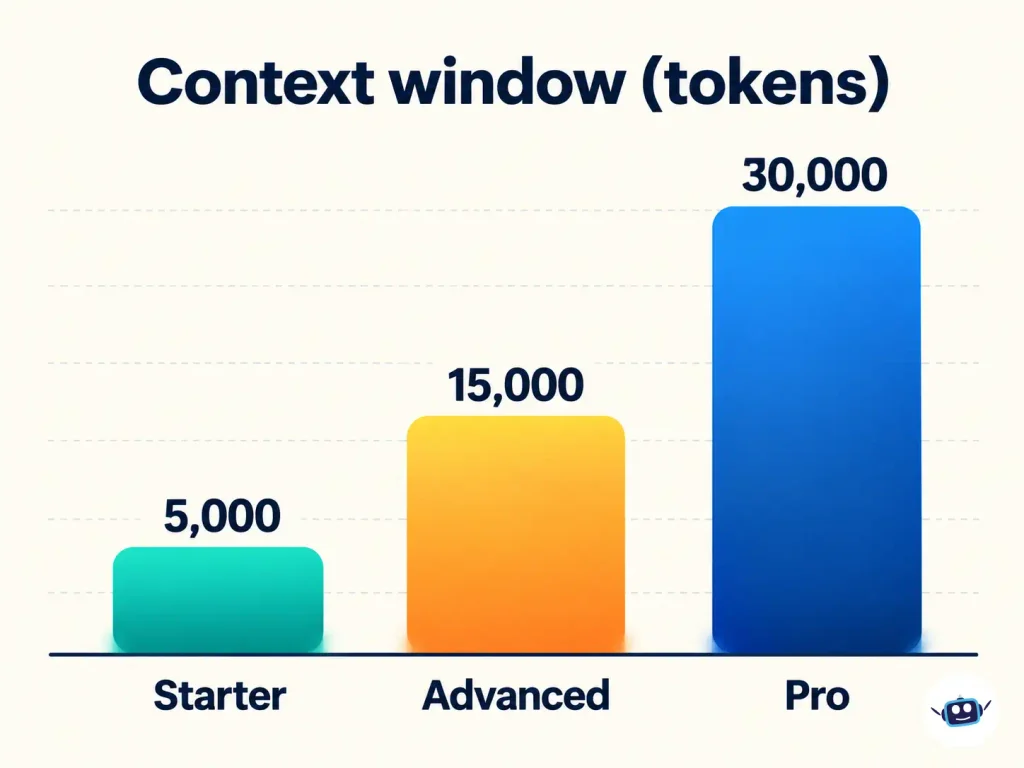
| Starter | $7.83 | $6.26 (20% off) | 5,000 tokens | 375 | 45 |
| Advanced | $19.35 | $15.48 (20% off) | 15,000 tokens | 2,250 | 75 |
| Pro | $48.30 | $33.81 (30% off) | 30,000 tokens | 2,250 | 75 |
Pro adds a 20% discount on credit packs and up to 60% off select third-party models. Starter and Advanced list 0% on both.
The free tier gives access to all models and features, according to the homepage. DreamGen’s documentation says every user, free ones included, gets monthly and daily recurring credits.
Three details deserve attention:
- “Unlimited” has an asterisk.* The pricing page lists unlimited access to basic and premium models on all three plans. The documentation says Advanced and Pro users can use some or all models without spending credits. The pricing page has a FAQ entry on what unlimited means, so read it before assuming no limits.
- Purchases are final. The Terms of Service say all purchases are non-refundable except where consumer law requires a refund or at DreamGen’s discretion.
- Prices can change. The Terms let DreamGen modify pricing at the start of your next billing cycle after reasonable notice. The checkout total is what counts.
What the Context Window Means for Your Story
Models read a limited amount of text at once, measured in tokens. DreamGen’s documentation describes a token as a word or part of a word, so 5,000 tokens is fewer than 5,000 words. Your scenario definition and the story so far both have to fit. DreamGen automatically drops the oldest parts of the session when it runs out of room.
DreamGen publishes its own scenario size recommendations:
| Model context window | Keep the scenario under |
|---|---|
| 4,000 tokens | 2,000 tokens |
| 8,000 tokens | 5,000 tokens |
| 15,000 tokens or more | 8,000 tokens |
DreamGen’s own limits therefore keep the scenario to roughly half to under two-thirds of the window. The rest has to hold recent story. A bloated scenario starves the model of recent text. The documentation notes that people commonly include detail the model could fill in itself.
For the general idea of why long AI sessions drift and how to audit what a model sees, see our context engineering guide. For how another roleplay platform handles token budgets, our Janitor AI explainer covers it.
Privacy, Moderation and Your Data
DreamGen’s Privacy Policy and its Terms and Privacy FAQ were both updated in March 2026. They state the following:
| Question | What the policy says |
|---|---|
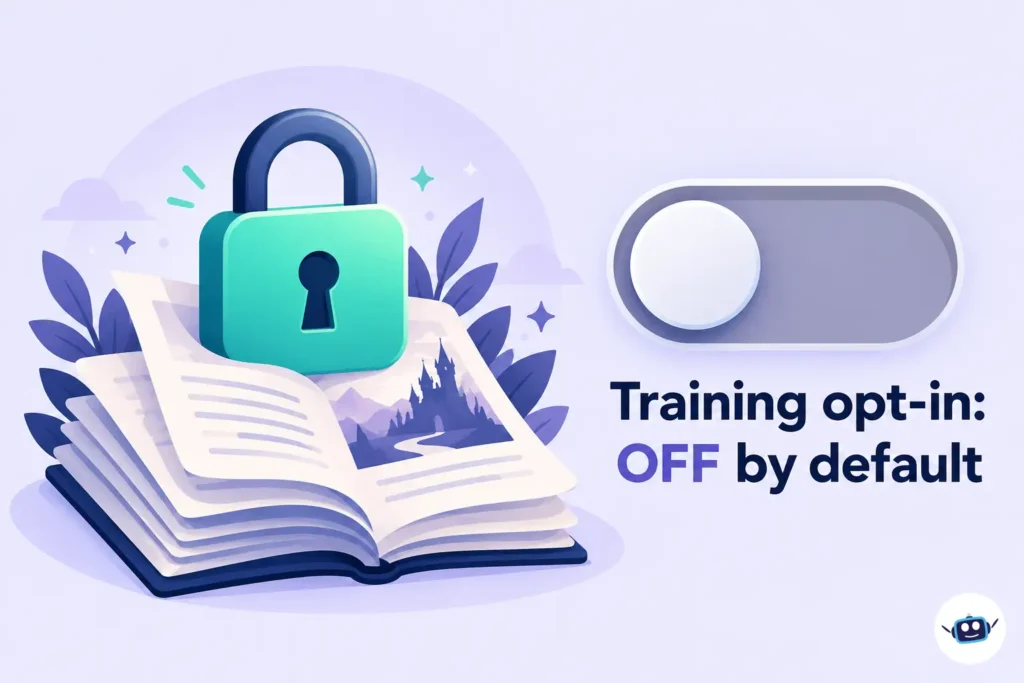
| Is my private content used to train models? | No, unless you explicitly opt in. The setting is in your account and off by default. |
| Does anyone read my private stories? | Not routinely. Human review happens only in limited cases: you publish or submit content, you consent (for example, appealing a moderation decision), you opted in to model improvement, or the law requires disclosure. |
| Is private content scanned? | Yes, by automated systems that enforce the Terms. |
| Which models process my text? | Mainly DreamGen’s own infrastructure. Requests can be routed to vetted third-party providers during high demand or outages, or when a feature needs them. |
| What happens when I delete my account? | Data is removed from active systems within a reasonable period, typically 35 days or less. Backups can persist longer. |
| Can opted-in data be removed later? | Not retroactively from existing training datasets or model weights. |
| What if the company is sold? | The policy says it may transfer assets in a merger, sale or bankruptcy, and that it will notify you before your information is transferred and becomes subject to a different privacy policy. |
DreamGen also warns against submitting sensitive personal information about yourself or real people unless necessary.
Age Limits and Content Rules
DreamGen requires users to be at least 18 and of the age of majority in their jurisdiction. The About page describes a belief in creative freedom for things done in private where no other person is actively involved, exposed or harmed.
Many third-party pages call it “uncensored.” The Terms of Service are more specific. They bar content that is or could reasonably be considered illegal in the United States, in European Free Trade Association countries, or in your own jurisdiction. They also bar sexual content involving minors, including fictional minors. Published content is checked by automated systems and may be reviewed by human moderators under separate Community Guidelines.
Who Owns What You Write
The Terms say DreamGen does not claim ownership or copyright over your content. You grant it a worldwide license to use that content to operate, provide and improve the service. The Terms make no promise that AI output is copyrightable, and say the output may be inaccurate, incomplete or non-unique.
That matches U.S. law. In Part 2 of its AI report, issued January 29, 2025, the U.S. Copyright Office concluded that prompts alone do not give users enough control to count as authors of AI output. Human-authored material and creative selection or arrangement can be protected. If you plan to publish or sell work, your own edits, rewriting and arrangement are what carry copyright.
For U.S. users, two further Terms clauses matter. Disputes are governed by Swiss law and go to binding arbitration in Zurich. The Terms also include a class-action waiver.
Common Misconceptions
| What you may read | What DreamGen’s own pages show |
|---|---|
| Pro has about a 12,000-token window | Older listings showed smaller numbers. The current pricing page lists 5,000, 15,000 and 30,000 tokens. |
| “Scenario Codex” and “Story Steering” are the core features | These are older terms. V1 became read-only on January 15, 2026 and was scheduled to shut down in March 2026. V2 uses scenarios and Instructions. |
| It runs on Opus models | Older guides say so. Current documentation lists GLM and Gemma-family models as examples and says the lineup changes. |
| It has no limits on content | The Terms prohibit specific categories, and automated moderation runs on private content. |
| There is an app to download | The official homepage links to none. Treat any “DreamGen APK” as unofficial. |
Common Mistakes and Best Practices
Mistakes
- Writing a very long scenario, which leaves little room for the story.
- Pinning too many interactions.
- Relying on “unlimited” without reading its conditions.
- Putting real names, addresses or workplaces into scenarios.
- Assuming a session is safely stored forever.
Best practices
- Start with a short scenario and add detail only where the AI gets it wrong.
- Give instructions about length and pacing rather than rewriting the AI’s output by hand.
- Fork before a big plot decision so you can compare outcomes.
- Use Create Sequel when a long session starts to lose detail.
- Check the opt-in setting for model improvement in your account before writing anything sensitive.
DreamGen vs Other Roleplay Platforms
DreamGen is aimed at people who want to direct a scenario, with sections for plot, setting and style and instructions that sit outside the story. Chat-first apps suit quick conversations better. If you are comparing platforms on memory, real monthly cost, age rules and privacy, our comparison of Character AI, FictionLab AI and Janitor AI sets out how those three differ. Whatever you choose, test the free tier first.
Practical Insights
These points come from DreamGen’s published documents and simple arithmetic. They are not personal test results.
Advanced is the value tier on paper. At list prices, Starter gives about 48 monthly credits per dollar (375 ÷ $7.83). Advanced gives about 116 (2,250 ÷ $19.35). Pro gives about 47 (2,250 ÷ $48.30), the same monthly credits as Advanced at about 2.5 times the price. The extra Pro money buys a 30,000-token window, the credit-pack discount and the third-party model discount. If you do not need those, Advanced covers the same credit allowance for far less. This ignores daily credits, which do not change the ranking.
Keep a copy of anything you care about. The Terms say the service or individual models can become unavailable, and that DreamGen can suspend or terminate accounts with or without cause or notice. DreamGen V1 was retired in favor of V2, with an import tool provided. Export important sessions as JSON for re-import and as Markdown for reading. Our guide on what Character AI users should do now covers a different platform-risk situation where exporting early matters.
Write your own summary alongside Create Sequel. The feature summarizes a session and updates character descriptions. A short, hand-written list of unresolved plot threads in the scenario covers what an automatic summary might miss.
Match the model to the scene. DreamGen lets you retry a single interaction with a different model. Use that for key scenes and keep your default model for routine ones. Different models have different context windows and credit costs.
FAQs
Is DreamGen AI free?
Yes, there is a free tier. DreamGen says it lets you try its models and features, and its documentation says free users get monthly and daily credits. Paid plans add more credits and larger context windows.
Is DreamGen AI safe and private?
By default, private content is not used for model training, and humans do not routinely read it. However, automated systems scan private content for moderation, and requests may be routed to third-party providers in some situations. Avoid real personal details.
Is DreamGen AI uncensored?
Not completely. DreamGen supports mature fiction for adults in private, but its Terms bar content illegal in the U.S., EFTA countries or your jurisdiction, and any sexual content involving minors, including fictional ones. Published content gets extra review.
Is DreamGen the same as NVIDIA’s DreamGen?
No. NVIDIA’s DreamGen is a robot-learning research method presented at the 2025 Conference on Robot Learning. DreamGen at dreamgen.com is a commercial story and role-play platform.
Is there a DreamGen mobile app?
DreamGen’s homepage links to no app, and its documentation describes using it in a browser, including on phones. Be cautious of sites offering a downloadable app file.
Who owns the stories I write with DreamGen?
DreamGen says it claims no ownership of your content, though you license it to operate and improve the service. The Terms do not promise that AI output can be copyrighted. U.S. Copyright Office guidance says prompts alone do not establish authorship, so your own edits matter.
How do I cancel or get a refund?
The Terms say you manage your subscription through the account billing page or by contacting support. They also say purchases are final except where consumer law requires otherwise or at DreamGen’s discretion.
Does DreamGen work with SillyTavern?
SillyTavern’s documentation describes connecting to DreamGen through its text-completion API with an API key. That page refers to older Lucid models, and DreamGen’s current documentation index does not cover API setup. Confirm API availability in your DreamGen account before relying on it.
Conclusion
DreamGen AI is a directed writing and role-play tool for adults. It is not a chatbot or a companion app. Its strength is the scenario and instruction system, backed by branching, forking and export.
Before you commit:
- Start on the free tier and test one short scenario.
- Keep scenarios well under the recommended token limits for your plan.
- Read the pricing page’s explanation of “unlimited” and check the checkout total.
- Check the model-improvement opt-in in your account settings. It is off by default.
- Export sessions you care about, in JSON and Markdown.
- Edit and rework any text you plan to publish, since AI output alone may not be copyrightable.
Disclaimer
This article is for general information about a software product and is not legal, financial or professional advice. Prices, plans, features, models, policies and availability can change, and DreamGen’s regional pricing or discounts may differ from those shown here, so confirm details with DreamGen before subscribing or sharing personal information. DreamGen is intended for adults only. Information is current as of October 2026.