
Introduction
For about two years, the advice for getting better results from AI was to write a better prompt. Add a role, add examples, say “think step by step.” It worked, until people started building things that ran for more than one turn.
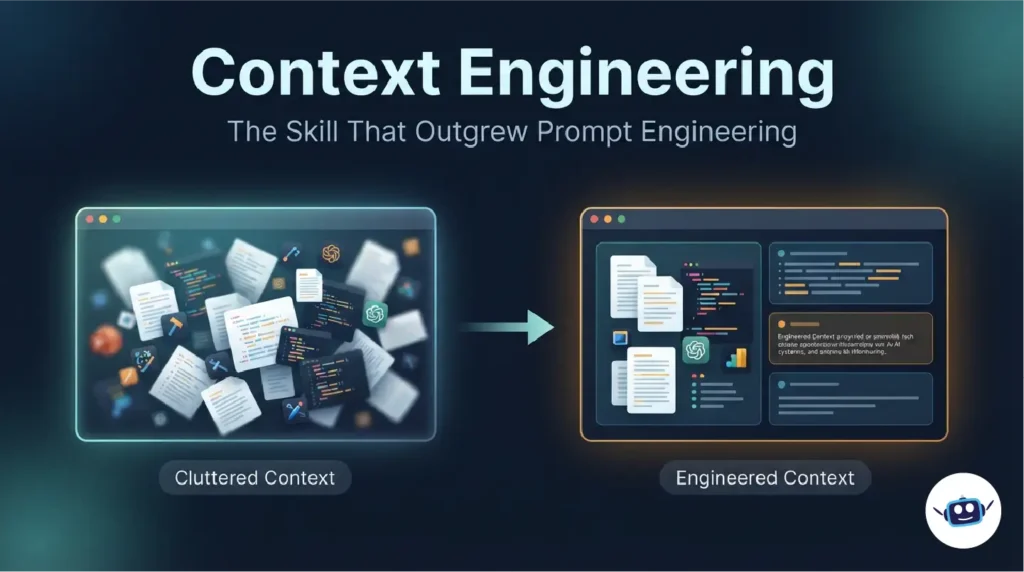
Once an assistant has to search files, call tools, remember what happened an hour ago and still follow your original instructions, the wording of the first message stops being the main problem. The bigger problem is everything else in front of the model. That is context engineering: deciding what information a model sees, in what form, and at what moment.
This guide covers where the term came from, how it differs from prompt engineering, and why more context often makes results worse. It also adds a few ideas most explainers skip, including a six-question audit and a look at the other side of the equation, where your content becomes someone else’s context.
For ongoing coverage of how these ideas show up in new models, see AI LLM News.
What Is Context Engineering? (Quick Answer)
Context engineering is the practice of curating everything an AI model sees before it responds: system instructions, retrieved documents, tool definitions, memory, examples and conversation history. The aim is to give the model the right information, in the right format, at the right step.
Anthropic’s engineering team describes it as the strategies for curating and maintaining the optimal set of tokens during inference. Its September 2025 guide treats it as the natural next step after prompt engineering, not a rival to it.
Where the Term Came From
The phrase spread fast in mid-2025. Shopify CEO Tobi Lütke said he preferred “context engineering” over “prompt engineering” because it better describes the core skill: making a task plausibly solvable by giving the model enough context. About a week later, on June 25, 2025, Andrej Karpathy endorsed the term. He noted that “prompt” makes people think of short task descriptions, while real LLM apps are about filling the context window with the right information for the next step.
The practice already existed among agent builders. The name gave it a handle. LangChain then organised it into four moves in its context engineering for agents post: write, select, compress and isolate.
Prompt Engineering vs Context Engineering
Is prompt engineering dead? Not really. It got absorbed.
| Prompt engineering | Context engineering | |
|---|---|---|
| Focus | Wording of an instruction | Everything the model sees |
| Scope | One request | An ongoing system |
| Typical tasks | Writing, summarising, one-off answers | Agents, RAG apps, coding assistants |
| Main question | “How do I phrase this?” | “What should be in the window right now?” |
| Failure looks like | A weak answer | An agent that drifts, repeats itself or forgets |
A good prompt is still one ingredient of good context, but only one. “Replaced” is a slightly generous word. Prompt engineering became a subset of a bigger discipline.
Why More Context Often Makes Results Worse
A large context window is a ceiling, not a target.
The finite attention budget
Anthropic frames the model’s attention as a limited budget. Every extra token spends some of it.
Context rot: what Chroma found
In July 2025, Chroma’s research team tested 18 models, including GPT-4.1, Claude 4 and Gemini 2.5. Performance consistently degraded as input length grew, even on deliberately simple tasks. Two more findings matter. When the needed information is less similar to the question, performance falls faster as inputs grow. And distractors hurt accuracy, with more distractors compounding the damage.
The practical reading: the most dangerous thing in your context isn’t obvious junk. It’s material that is almost relevant.
The four ways context fails
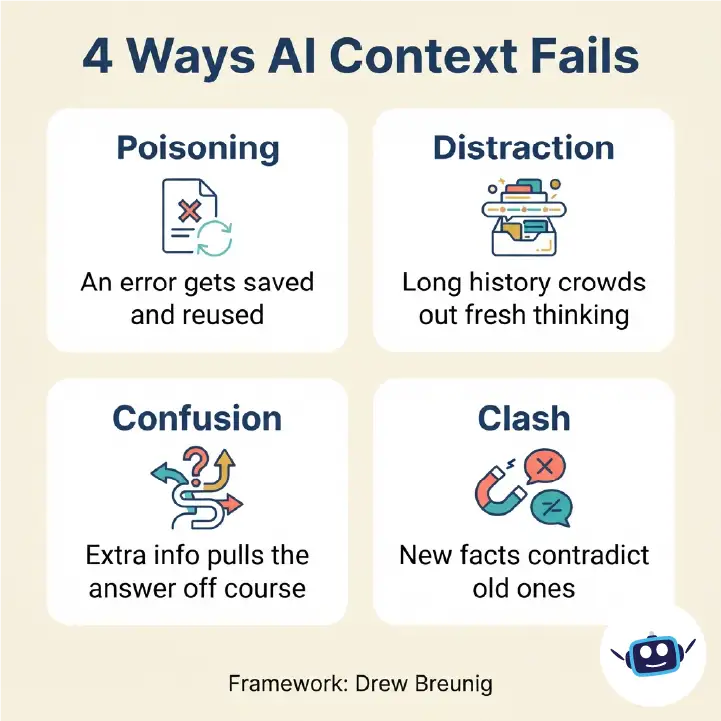
Drew Breunig’s How Long Contexts Fail names what goes wrong:
- Poisoning: a hallucination or error enters the context and keeps being referenced.
- Distraction: the context grows so long the model leans on it instead of reasoning freshly.
- Confusion: superfluous information or too many tools pull the answer off course.
- Clash: newer information contradicts older information in the same window.
“The agent got confused” isn’t actionable. “Two tool outputs contradicted each other” is.
The Core Techniques of Context Engineering
1. Write: keep notes outside the window
Store plans, decisions and progress in a file or memory store so the model doesn’t re-derive them. Anthropic’s research system saves its plan to external memory because long runs can exceed the 200,000-token limit.
2. Select: load only what the step needs
Anthropic describes a hybrid approach: some context loaded up front for speed, such as project instruction files, with the rest retrieved on demand. This is progressive disclosure.
3. Compress: summarise before the window fills
Anthropic calls compaction the first lever for long-running tasks. Summarise the history, then restart with the summary and the essentials.
4. Isolate: give sub-tasks their own windows
In Anthropic’s multi-agent research system, Claude Opus 4 led Claude Sonnet 4 sub-agents and outperformed a single Opus 4 agent by 90.2% on an internal research evaluation. Read that number with its cost attached. Anthropic reports that agents use about 4× more tokens than chats and multi-agent systems about 15×, and that token usage alone explained roughly 80% of performance variance on its BrowseComp evaluation. Anthropic’s later guidance puts multi-agent setups at roughly 3 to 10× the tokens of single-agent approaches. A 2026 Stanford preprint, not yet peer reviewed, argues that single agents can match multi-agent systems under equal thinking-token budgets. Isolation is a tool, not a default.
Four Ideas Most Guides Miss
Idea 1: Give every piece of context a lifetime
A 2026 robotics paper, Towards the Harness of Embodied Agents, sorts context into resident (stable, like the system prompt and tool definitions), refreshed (replaced before each decision) and accumulated (growing history). The paper is about robots, but the idea transfers to any assistant. Most bloated setups treat everything as accumulated, so nothing is ever replaced or retired.
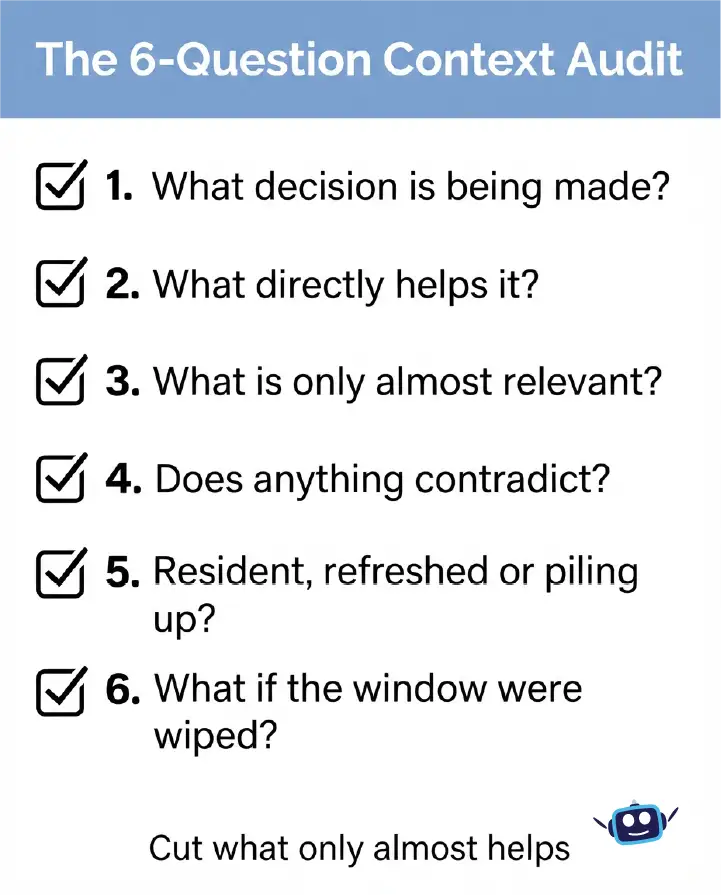
Idea 2: The six-question context audit
This is my own checklist, not an industry standard.
- What is the one decision the model must make at this step?
- Which items in the window directly help that decision?
- Which items are only “almost relevant”?
- Does anything contradict anything else?
- What is resident, what is refreshed, and what is just piling up?
- If the window were wiped now, what would I need to restore?
Question 3 usually removes the most tokens. Question 6 usually exposes missing notes.
Idea 3: Intent debt
Models can read your code, documents and tickets, but they can’t recover a reason nobody wrote down. If the “why” lives only in someone’s head, no retrieval system will find it. Short decision notes are among the cheapest context investments you can make.
Idea 4: Your content is someone else’s context
When ChatGPT, Gemini, Claude or Perplexity retrieve a page to answer a question, your article becomes part of their context window. Pages that work well there tend to be self-contained in each section, direct about the main claim, and specific about names, dates and numbers. That’s why sections of this guide open with a plain definition. It helps human skimmers and retrieval systems alike.
A Practical Before-and-After Example
This is an illustrative scenario, not a measured case study. Imagine a support assistant for a software company.
Before: A long system prompt, the full 40-page help centre attached to every request, and all 60 tool definitions always loaded. Answers are slow and generic, and occasionally contradict the refund policy.
After: A short resident prompt covering tone and escalation. Only the three most relevant help articles retrieved per question. Tools grouped, with only the relevant group loaded. The current refund policy as one refreshed block, so old versions can’t clash with it. A running note of what the customer has already tried.
The model didn’t change. The context did.
Personal Experience: What Changed When I Stopped Obsessing Over Prompts
When I first started working with AI assistants, I treated every bad answer as a wording problem. If the output was off, I rewrote the prompt, added a line of instruction, then added another. It felt productive. It rarely fixed anything for long.
The shift came when I began looking at what the model could actually see. In long sessions, the answer was usually sitting in the clutter: an outdated draft I’d pasted earlier, two instructions that quietly contradicted each other, or a pile of background the current task didn’t need. Removing material fixed more problems than adding instructions ever did.
A few habits made the biggest difference:
- Restarting on purpose. Long chats behave like long meetings. Early on, everything is sharp. Later, the same points get repeated and details slip. Starting a fresh session with a short summary of decisions beat “just keep going” almost every time.
- Keeping a notes file. A short document with the goal, constraints, decisions made and open questions did more for me than any clever prompt. It also meant my work wasn’t trapped inside one chat or one tool.
- Giving only what the step needs. I used to paste everything “just in case.” I now ask what the model actually needs for this one decision, and I leave out the rest.
The mistake I repeated most was over-explaining. I assumed more background was always safer. It wasn’t. Short, well-organised context consistently produced clearer, more consistent answers than long, exhaustive context.
The biggest lesson is that I spend less time wording prompts now and more time deciding what goes in front of the model. That is a calmer way to work, and the results are more predictable.
Benefits of Context Engineering
- More reliable outputs, because the model sees what matters for the step.
- Lower cost and latency, since fewer unnecessary tokens are processed.
- Fewer carried-forward errors, because bad outputs don’t linger in the window.
- Portability, because context kept in notes and files survives model changes.
Common Mistakes to Avoid
- Treating the context window size as a goal to fill.
- Loading every tool and document “just in case.”
- Letting old and new instructions coexist without resolving conflicts.
- Never summarising or restarting long sessions.
- Trusting model-written summaries without checking, since they can lock in errors.
- Skipping evaluation. If you can’t measure results, you can’t tell whether a change helped.
Best Practices Checklist
- Start with the smallest context that could work, then add only when results demand it.
- Keep instructions clear and specific without being brittle.
- Keep tool descriptions distinct, with minimal overlap.
- Store durable facts and decisions in files outside the chat.
- Retrieve on demand rather than preloading everything.
- Summarise or restart long sessions at natural breakpoints.
- Test changes against a fixed set of real tasks.
For developer-level detail, Phil Schmid’s overview and Simon Willison’s commentary are worth reading. More AI model coverage is at AI LLM News.
Frequently Asked Questions
What is context engineering in simple terms?
It is choosing and organising everything an AI model sees before it answers, including instructions, documents, tools, memory and history, so it can do the task well.
Is context engineering the same as prompt engineering?
No. Prompt engineering is about wording an instruction. Context engineering covers the whole information environment, of which the prompt is one part.
Has context engineering replaced prompt engineering?
Largely absorbed it. Clear prompts still matter, but for agents and multi-step apps the surrounding context drives most of the outcome.
Who coined the term?
It gained traction in June 2025 when Tobi Lütke preferred it publicly over “prompt engineering” and Andrej Karpathy endorsed it about a week later. Neither claimed to have invented the underlying practice.
What is context rot?
The decline in model accuracy as input length grows. Chroma’s 2025 study found it in all 18 models tested.
Does a bigger context window solve the problem?
Not by itself. Chroma observed degradation across models, including those with very large windows, so what you include matters as much as how much.
Do non-developers need context engineering?
Yes, in a lighter form: project instructions, short reference documents, and fresh chats for new topics are all basic context engineering.
What tools support context engineering?
Common examples are retrieval databases such as Chroma, orchestration frameworks such as LangChain, memory and context-editing features in Claude’s developer platform, and project instruction files in coding assistants.
How do I get started?
Pick one workflow, run the six-question audit, remove what doesn’t help, and compare results on a few real tasks.
Conclusion
Context engineering is less a new trick than a more accurate name for the job. A model’s output depends on what it sees, and what it sees is something you can design.
Key takeaways:
- Treat the context window as a limited budget, not a bucket.
- Watch for poisoning, distraction, confusion and clash.
- Give context a lifetime: resident, refreshed or accumulated.
- Keep decisions in notes outside the chat.
- Test every change against real tasks.
Audit one workflow this week and cut anything that is only almost relevant.
Disclaimer: This article is for general information. AI tools and models change quickly, so features, benchmarks and best practices may differ by the time you read this. Research findings cited here come from specific tests and may not reflect your use case. Verify details against official documentation before applying them in production.