
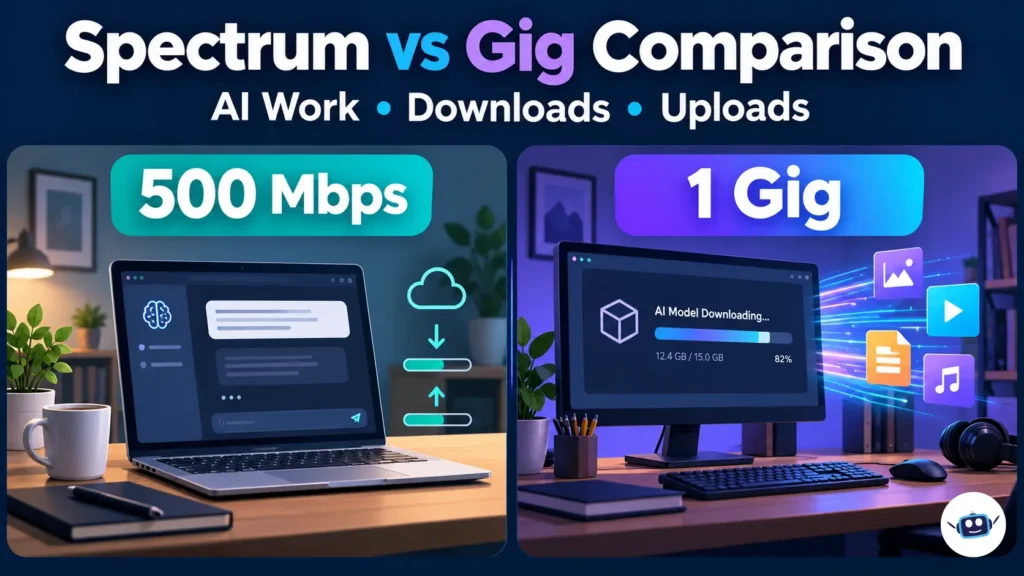
Spectrum Internet 500 is a sensible starting point for everyday cloud AI, streaming and remote work. Spectrum Internet 1 Gig becomes more useful when frequent large downloads or simultaneous heavy users justify its higher price. For creators uploading datasets, video or model checkpoints, the upload speed available at your address may matter more than either plan’s download name.
Spectrum currently advertises Internet 500 at $40 per month and Internet 1 Gig at $60 per month for one year. Gig includes Advanced WiFi, while adding it to the advertised 500 Mbps offer costs $10 monthly.
Spectrum vs Gig: Understand the Comparison First
Spectrum is an internet provider. “Gig” is a speed description, rather than a separate provider.
Most people searching for a Spectrum vs Gig comparison are deciding between Spectrum Internet 500, also associated with the Premier name, and Spectrum Internet 1 Gig. Others want to know whether Spectrum’s service compares favorably with another provider’s gigabit fiber connection.
Both questions matter for AI users, but they require different comparisons:
- Spectrum 500 versus Spectrum Gig: Compare additional capacity, included equipment and total cost.
- Spectrum versus gigabit fiber: Compare upload speeds, connection technology, pricing and availability.
- Broadband versus local AI performance: Separate downloading files from running a model on your computer.
One gigabit per second equals 1,000 megabits per second. Spectrum Gig therefore offers twice the advertised download capacity of its 500 Mbps tier. It does not follow that every application will feel twice as fast.
Spectrum Internet 500 vs 1 Gig at a Glance
| Feature | Spectrum Internet 500 | Spectrum Internet 1 Gig |
|---|---|---|
| Advertised download speed | Up to 500 Mbps | Up to 1,000 Mbps |
| Advertised introductory price | $40/month for one year | $60/month for one year |
| Advanced WiFi on the advertised offer | Add $10/month | Included |
| Modem | Included | Included |
| Home internet data cap | None | None |
| Annual service contract | None | None |
| Best reason to consider it | Lower recurring cost | More capacity for large transfers and simultaneous use |
| Upload speed | Depends on the available configuration | Depends on the available configuration |
Spectrum’s current Gig page advertises Advanced WiFi with WiFi 7 included. Equipment benefits are relevant when comparing the offers, but the actual hardware and terms attached to an order still matter.
The table summarizes public advertising rather than a personalized quote. Existing customer offers, bundles and address-specific configurations can differ.
What Faster Internet Actually Changes for AI Users
An AI workflow can involve downloading software, uploading source material, waiting for computation and retrieving results. Those stages do not respond to a broadband upgrade in the same way.
Cloud chat and coding assistance
A short text request to a hosted AI service does not require the same transfer capacity as downloading a large model package.
Your connection transports the request and response. The service’s computing infrastructure performs the remote inference. Increasing your maximum download speed cannot directly increase that infrastructure’s processing power.
If an assistant takes time to begin answering, investigate whether the delay occurs before the response starts or while content is being transferred. The distinction helps separate application processing from a connection problem.
Coding workflows also contain different kinds of work. Downloading a large development environment may benefit from more bandwidth, while running local tests depends on the computer executing them.
Our guide to AI coding agents versus chatbots explains how these workflows differ. For broadband decisions, identify which parts of your own workflow actually move substantial data.
Local models: Downloading and inference are separate
LM Studio’s documentation states that downloaded models can run offline. Ollama also supports local model operation.
This leads to a useful buying rule: a faster connection can shorten the initial download, but it cannot accelerate inference that runs entirely on your computer.
Once the required model files and runtime are available, local computing resources become central to performance. A broadband upgrade does not add GPU memory, system RAM or processing capacity.
Local tools may still use the internet for model discovery, updates, web searches or external services. Check what your chosen workflow does rather than assuming every feature operates offline.
AI video, images and cloud computing
Creative workflows deserve closer attention to transfer direction.
Uploading reference footage sends data from your home to a service. Downloading a completed video moves data in the opposite direction. Waiting for the service to generate that video is a separate processing stage.
The same applies to rented GPUs. If a dataset is already stored in the cloud, increasing your home broadband speed does not make the rented GPU more powerful.
Our GPU rental pricing guide covers the separate question of paying for remote computing resources. Broadband and compute should be budgeted around the tasks each one performs.
How Much Faster Are Large Downloads on Gig?
Large file transfers provide a clearer comparison than a general promise of “faster AI.”
The following table uses hypothetical model packages, datasets or creative assets. It calculates transfer times at the advertised download rates.
| File size | At 500 Mbps | At 1,000 Mbps | Ideal time saved |
|---|---|---|---|
| 5 GB | 1 minute 20 seconds | 40 seconds | 40 seconds |
| 20 GB | 5 minutes 20 seconds | 2 minutes 40 seconds | 2 minutes 40 seconds |
| 50 GB | 13 minutes 20 seconds | 6 minutes 40 seconds | 6 minutes 40 seconds |
Calculation: seconds = decimal gigabytes × 8,000 ÷ megabits per second.
These are theoretical times, not measured Spectrum results. They assume the full example rate remains available throughout the transfer and exclude overhead, competing traffic, storage limitations and server restrictions.
How often you download changes the value
Downloading one large model occasionally creates a different buying decision from downloading multiple packages every working day.
Frequency matters, but so does whether the wait blocks you. A transfer that completes while you answer email may have little effect on productivity. A transfer that must finish before a client task can begin has a more direct cost.
Also avoid choosing a broadband plan from parameter count alone. A model’s downloadable size depends on its representation and packaging. Use the actual package size when estimating transfer time.
Upload Speeds Are the Critical Detail for Creators
A Gig download tier does not establish gigabit uploads.

Spectrum’s residential disclosure, revised October 12, 2026, publishes the following examples:
| Spectrum tier | Advertised download/upload example | Published typical download/upload |
|---|---|---|
| Internet 500 | 500/20 Mbps | 572/23 Mbps |
| Internet 1 Gig | 1,000/35 Mbps | 1,045/40 Mbps |
Spectrum also states that symmetrical tiers are available in certain locations. Consequently, these examples should not be treated as universal specifications for every address.
“Advertised” and “typical” describe different figures. A provider-reported typical result is not a guaranteed rate for every transfer or device.
Spectrum says these performance measurements are taken at the modem, rather than the user’s laptop or phone. Your home network introduces additional variables.
What a 50 GB upload could mean
For an upload-heavy workflow, consider a hypothetical 50 GB dataset or project archive.
| Example upload rate | Calculated time for 50 GB |
|---|---|
| 23 Mbps | About 4 hours 50 minutes |
| 40 Mbps | About 2 hours 47 minutes |
| 1,000 Mbps | About 6 minutes 40 seconds |
These calculations assume each stated rate is sustained. The gigabit example illustrates a suitable symmetrical connection; it does not describe every Spectrum Gig offer.
The upgrade between the two asymmetric examples is meaningful: it saves approximately two hours on this hypothetical transfer. However, the result remains very different from gigabit uploading.
For recurring large uploads, compare the actual upstream specifications before deciding which plan offers better value.
Compare First-Year and Two-Year Costs
The introductory monthly price is only one part of the decision.
First-year recurring cost
| Setup | Monthly cost | Twelve-month cost |
|---|---|---|
| Internet 500 without Advanced WiFi | $40 | $480 |
| Internet 500 with Advanced WiFi | $50 | $600 |
| Internet 1 Gig with Advanced WiFi | $60 | $720 |
These calculations exclude applicable activation, installation, taxes and additional services.
If you already want Spectrum’s Advanced WiFi, Gig’s first-year premium is $120 rather than $240. If you have suitable equipment and do not need that service, its inclusion may be less valuable.
A two-year scenario with provider Wi-Fi included
Spectrum’s residential disclosure lists standard monthly rates of $85 for Internet 500 and $105 for Internet 1 Gig, both described as including Advanced WiFi.
GFiber currently advertises its Core 1 Gig offer at $70 monthly with a router included.
Using those published rates, the following scenario compares setups that include the provider’s Wi-Fi service:
| Setup | Months 1–12 | Months 13–24 assumed rate | Calculated 24-month total |
|---|---|---|---|
| Spectrum 500 with Advanced WiFi | $50/month | $85/month | $1,620 |
| Spectrum 1 Gig with Advanced WiFi | $60/month | $105/month | $1,980 |
| GFiber Core 1 Gig with included router | $70/month | $70/month | $1,680 |
This is a planning scenario, not a two-year price guarantee. It assumes the published standard rates apply in year two and remain unchanged, and that GFiber’s published monthly rate also remains unchanged. Address-specific terms, eligibility and future price changes can alter the totals.
Under these assumptions, Spectrum Gig costs $360 more than Spectrum 500 with Advanced WiFi over two years. GFiber falls between those two totals.
Keeping equipment services consistent makes this comparison more useful than placing a bare introductory plan beside a package with provider Wi-Fi included.
Bundles need a separate calculation
A discounted internet line item does not establish a lower household bill.
If a package requires mobile or television services, compare the entire bundle with what you would otherwise pay. Include only services you actually want, and account for the discounts attached to maintaining them.
For an existing customer, changing tiers may also affect an older promotion. Use the quoted total and terms for the proposed change.
Spectrum Gig vs Gigabit Fiber
Gigabit describes speed; fiber describes the connection technology.
Spectrum explains that its fiber-powered hybrid network can use coaxial cable for the final connection to a property. It also offers 100% fiber service in select areas.
Therefore, a Spectrum Gig subscription alone does not tell you whether fiber reaches your home or whether the connection is symmetrical.
Where GFiber changes the comparison
GFiber’s published Core 1 Gig offer includes:
- Uploads and downloads of up to one gigabit per second.
- A Wi-Fi 6E router.
- Free professional installation or self-setup options.
- A published price of $70 per month.
These specifications make it worth comparing for people who regularly send large files. Availability remains decisive: an attractive plan is useful only where the provider can install it.
Avoid comparing GFiber’s advertised maximum directly with Spectrum’s typical measured performance as though both were the same metric. Compare the relevant Broadband Facts labels and order terms wherever available.
If Spectrum offers symmetrical service locally, reassess the comparison using that offer rather than applying older asymmetric examples.
Does Gig Improve Latency, Gaming or Video Calls?
More bandwidth and lower latency are different benefits.
Spectrum’s disclosure reports the same typical latency figure—19 milliseconds—for its published Internet 500 and Internet 1 Gig examples. It explains that latency is measured across tiers because differences by speed tier are minimal.
Those figures do not predict the round-trip time to every game server or AI service. Destination, routing and network conditions affect the actual experience.
For AI voice or video calls, a stable connection matters alongside capacity. Upgrading may help when heavy traffic is saturating the connection, but it does not guarantee better responsiveness in every situation.
Streaming alone also rarely establishes a need for Gig. Netflix recommends a stable 15 Mbps connection for one 4K stream. Several streams can therefore fit comfortably within the advertised download capacity of either Spectrum tier, provided the service and home network are performing adequately.
Practical Insights: Spend on the Actual Constraint
These recommendations follow from the published specifications and calculations above. They are not claims from hands-on testing.
Count simultaneous transfers rather than devices
A long list of connected devices does not automatically create heavy demand. Several idle devices can use less bandwidth than one computer downloading a large package.
List what happens during your busiest period: meetings, streaming, model downloads, backups and uploads. Then identify which activities compete for the same direction of traffic.
Separate waiting from working time
Using the download table, ten 20 GB downloads would theoretically save 26 minutes 40 seconds on Gig.
That saving is most useful when the connection can sustain the assumed rates and the downloads block productive work. It has less value if they run unattended.
Improve Wi-Fi before blaming the tier
Spectrum identifies distance, walls, interference and equipment limitations as potential causes of slow transfers.
If a laptop performs well beside the router but poorly elsewhere, investigate coverage. A faster incoming connection does not establish that a weak wireless link can carry the additional capacity.
Keep remote compute separate from home networking
A slow cloud job can involve uploading data, waiting for resources, running computation or retrieving output.
Identify the stage before spending more. Our Beam AI product guide provides background on several similarly named services, including cloud infrastructure.
Buy for the service available now
An upgrade announcement does not establish the speed available at an individual address.
Base the purchase on the current offer and its disclosed performance. Recalculate when a confirmed new configuration becomes available.
How to Choose the Right Plan
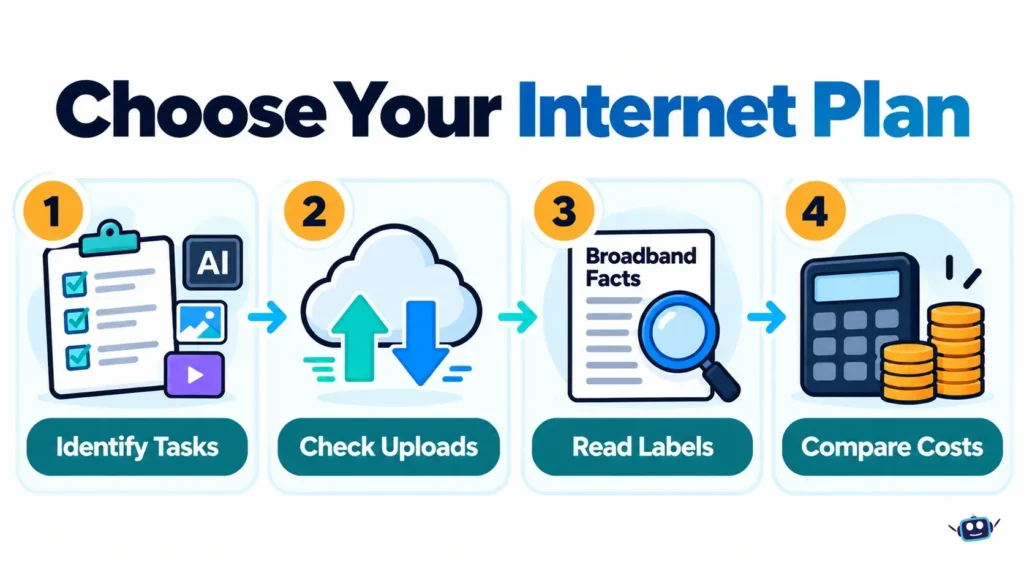
- Identify your biggest recurring transfer. Determine whether it is a download, upload or activity that barely transfers data.
- Check address-specific availability. Record the offered download and upload specifications.
- Read the Broadband Facts label. Compare typical performance, recurring charges, introductory terms and applicable fees.
- Calculate a longer ownership period. Include the later monthly rate and the equipment services you want.
- Compare any available fiber alternatives. Focus particularly on uploads if you move large datasets or creative files.
- Check equipment compatibility. Review the modem, router, network adapter and any switches in the path.
- Establish a wired baseline. Pause unnecessary transfers and compare performance during normal and busy periods.
- Choose the least expensive setup that meets the need. Pay more when the additional capacity provides a specific benefit.
Common Mistakes to Avoid
- Assuming Gig means symmetrical service. Read the upload specification.
- Expecting broadband to accelerate local inference. Separate model downloads from computation.
- Comparing inconsistent packages. Include the Wi-Fi service you actually want on each side.
- Treating typical speeds as guarantees. Actual transfers depend on more than the provider’s published figure.
- Ignoring post-promotion pricing. Consider the cost beyond the first year.
- Buying capacity to fix coverage. Diagnose weak Wi-Fi separately.
- Assuming every AI request is text-only. Images, video, audio and file synchronization can create different demands.
Frequently Asked Questions
Is Spectrum Gig worth it over 500 Mbps?
It can be worthwhile for frequent large downloads or simultaneous heavy transfers. Compare the additional cost after accounting for Advanced WiFi and the later monthly rate.
Is 500 Mbps enough for cloud AI tools?
It is a reasonable starting point for text-based assistance alongside ordinary household activity. Large media transfers and simultaneous heavy use may change the requirement, while remote model processing remains outside your broadband plan’s control.
Does Spectrum Gig include gigabit uploads?
Not at every address. Spectrum publishes asymmetric examples and says symmetrical tiers are available in certain locations, so check the actual offer.
Will Gig make a local AI model generate faster?
It can shorten the time needed to download model files. Once inference runs entirely on your computer, broadband speed does not increase its computing resources.
How much does Spectrum Gig cost after the promotion?
Spectrum’s current residential disclosure lists a $105 standard monthly rate including Advanced WiFi. Your applicable later rate depends on the offer and account terms, so use the figure attached to your order.
Is Spectrum Gig the same as fiber internet?
Gig describes a speed tier, while fiber describes network technology. Spectrum uses hybrid fiber-coaxial infrastructure and also offers fiber-to-the-premises service in select areas.
Is GFiber better for uploading AI datasets?
Its published Core 1 Gig offer provides up to gigabit uploads, making it a strong option to compare with asymmetric cable configurations. A locally available symmetrical Spectrum offer could change that assessment.
Does Spectrum have data caps on these plans?
Spectrum lists unlimited home internet data on both tiers. Choosing Gig primarily changes capacity and included services rather than the monthly data allowance.
Conclusion
Spectrum Internet 500 is a practical starting point for cloud AI assistance, streaming and routine remote work. Gig becomes more attractive when frequent large downloads or simultaneous transfers create a clear need for additional capacity.
For creators, upload performance deserves priority. For local AI users, distinguish downloading a model from running it. Compare complete packages over a realistic ownership period, diagnose the slow stage and choose the plan that improves the work you actually do.
Disclaimer
This comparison provides general product information, with information current as of October 2026. Prices, promotions, equipment, speeds and availability can change or vary by address, so confirm the applicable Broadband Facts label and official order terms before purchasing. Transfer times and two-year totals are calculations based on stated assumptions, not measured performance or guaranteed future bills.