
MindVideo AI is a browser-based hub that turns text prompts or photos into short AI videos, images and music. It routes your request to third-party models such as Kling, Veo and Wan, and you pay for everything from one credit balance. It has a limited free tier, and commercial use requires a paid plan. It is a reseller of other companies’ models, not a single new model, and that shapes both its strengths and its risks.
If you’ve been comparing AI video tools this year, you’ve probably noticed how fast the menu changes. OpenAI announced on March 24, 2026 that Sora was being discontinued. The Sora app closed on April 26, and the API followed on September 24. Anyone whose workflow depended on that one model had to start over.
That story is the best way into this review. MindVideo AI sells convenience: one account, one balance, many engines. The catch is that you rely on engines MindVideo doesn’t control. This guide covers what the platform does, what it really costs, what you can legally do with the results, and what most reviews leave out.
What MindVideo AI Is, and What It Is Not
MindVideo AI combines an AI video generator, an image generator, a music and voice tool, and a set of editing utilities in one workspace. On the official homepage, it is described as an all-in-one creative suite. It doesn’t train its own frontier video model. It rents access to engines and adds its own free model for drafts. You’re buying breadth and convenience, not proprietary technology.
Not the brain-decoding research project
If you searched “mind video” and landed on academic papers, that’s a different thing. MinD-Video is a research framework by Zijiao Chen, Jiaxin Qing and Juan Helen Zhou, presented as an oral at NeurIPS 2023. It reconstructs video from fMRI brain scans. It has no connection to the commercial MindVideo AI site, and the website can’t read your mind. It only works from the text and images you give it.
What you can create
According to the homepage I reviewed on October 28, 2026, the tools include:
- Text to video and image to video for short clips in several aspect ratios.
- Text to image and image to image for ads, thumbnails and concept art.
- AI music generation for royalty-free tracks from a mood description or your own lyrics.
- Editing tools: a text-command video editor, an enhancer and upscaler (listed up to 4K) and a video extender.
- Effect templates: AI Dance, Ghibli-style video, Earth Zoom Out, Hug, Kiss, Inflate, Squish and seasonal packs.
- Extras: lip sync, AI avatar, talking pet, face swap, character swap, draw on video and a product video maker.
Which models does it list?
The homepage footer lists these video models: Kling 2.6, Wan 2.6, Veo 3.1, PixVerse V5, Seedance 1.0 Pro, Kling 2.1 Master, Sora 2 and HappyHorse 1.0. Image models include GPT Image 2.5, Seedream 5.0, GPT Image 2, Nano Banana Pro and Nano Banana. A model page existing on the site is not proof that the model works in your account, as the next section shows.
The Hub Trade-Off Nobody Explains: You Rent the Engines
A multi-model hub buys access from model makers and resells it as credits. That has real benefits, and a few structural weak points.
The Sora lesson
OpenAI’s Help Center states that the Sora web and app experiences were discontinued on April 26, 2026, and that the Sora API would end on September 24, 2026. That date has passed. Yet when I checked on October 28, 2026, MindVideo’s footer still listed a Sora 2 page. I can’t see inside anyone’s paid account, so I can’t say what appears in your dropdown. The safe rule is simple: treat any model as unavailable until it appears in your own account and renders a test clip.
The same dependency risk appears across the industry. Our article on what Character AI users should do when a platform runs into trouble shows what happens when the service you depend on changes overnight.
Version lag is normal
Hubs often run older versions than the model maker’s own site. If you need the newest Kling or Veo release for a specific feature, compare with the direct service before paying.
Capacity is shared
Popular engines serve many users at once. MindVideo’s own FAQ says generations can occasionally fail because of temporary model instability, and it suggests trying another model. Expect some failed or slow renders at busy times.
MindVideo AI Pricing in 2026
What the free tier gives you
According to the official FAQ, most tools are available to free users. New users get free credits on registration, and you can earn more through daily check-ins, sharing and inviting friends. That’s enough to learn the interface and compare a couple of engines. It isn’t enough to run a content calendar. Read “free” as “free trial credits.”
Paid plans
The pricing page blocked my automated access, and third-party listings disagree, so I used a recent hands-on review of the upgrade screen. It shows these list prices:
| Plan | Monthly billing | Yearly billing (per month) | Monthly credits | Approx. cost per credit (monthly) | Approx. cost per credit (yearly) |
|---|---|---|---|---|---|
| Lite | $16.90 | $9.90 | 400 | about $0.042 | about $0.025 |
| Pro | $29.90 | $15.90 | 1,000 | about $0.030 | about $0.016 |
| Max | $69.90 | $39.90 | 2,500 | about $0.028 | about $0.016 |
The per-credit figures are my own arithmetic from list prices, and they exclude yearly bonus credits, which sources describe inconsistently. Older directory listings show different numbers, such as a $25 Pro plan with 800 credits. Treat every figure, including these, as a snapshot and confirm on the checkout screen.
One thing the math reveals: on yearly billing, Pro and Max cost almost the same per credit. Max only makes sense if you need the larger allowance, not because it’s cheaper per clip.
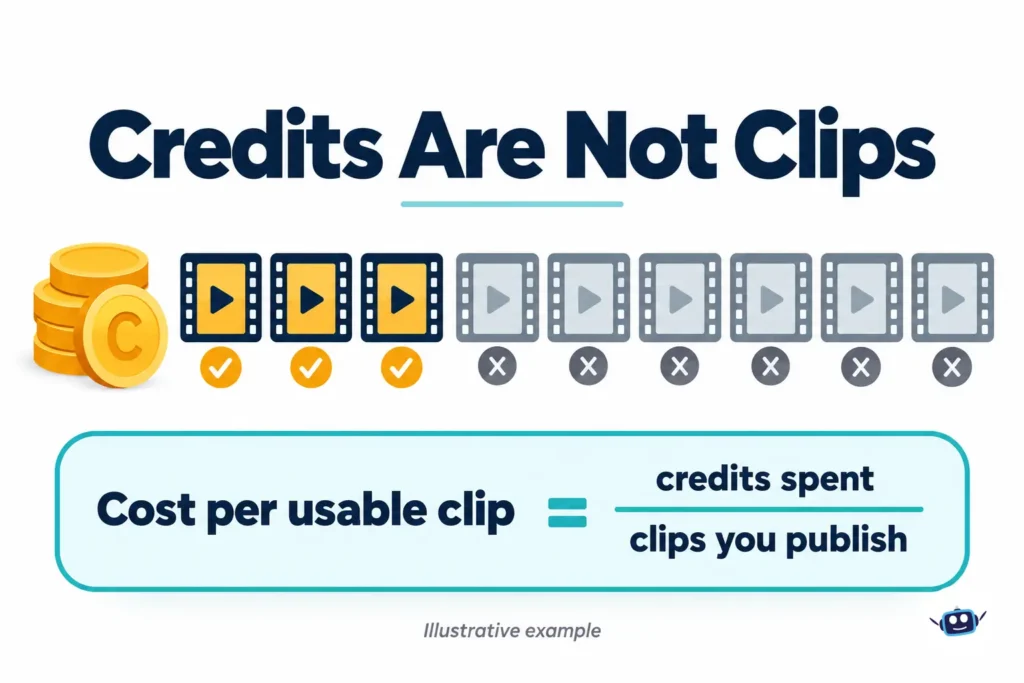
Credits are not clips: cost per usable clip
Failed renders, retries and premium engines all consume credits. The number that matters is:
Cost per usable clip = (credits spent, including failures) ÷ (clips you would actually publish) × cost per credit
Here is an illustrative example with assumed numbers, not a measurement. If you need three publishable clips and only one in three generations works for your style, you pay for roughly nine attempts, not three. Upscaling, extending, lip sync and face swap may use extra credits too. Track your own success rate on the free tier before upgrading. For background on why generation costs what it does, see our GPU compute pricing guide.
Commercial Use, Copyright and Your Rights
Three separate questions often get mixed together.
1. Does the platform allow commercial use?
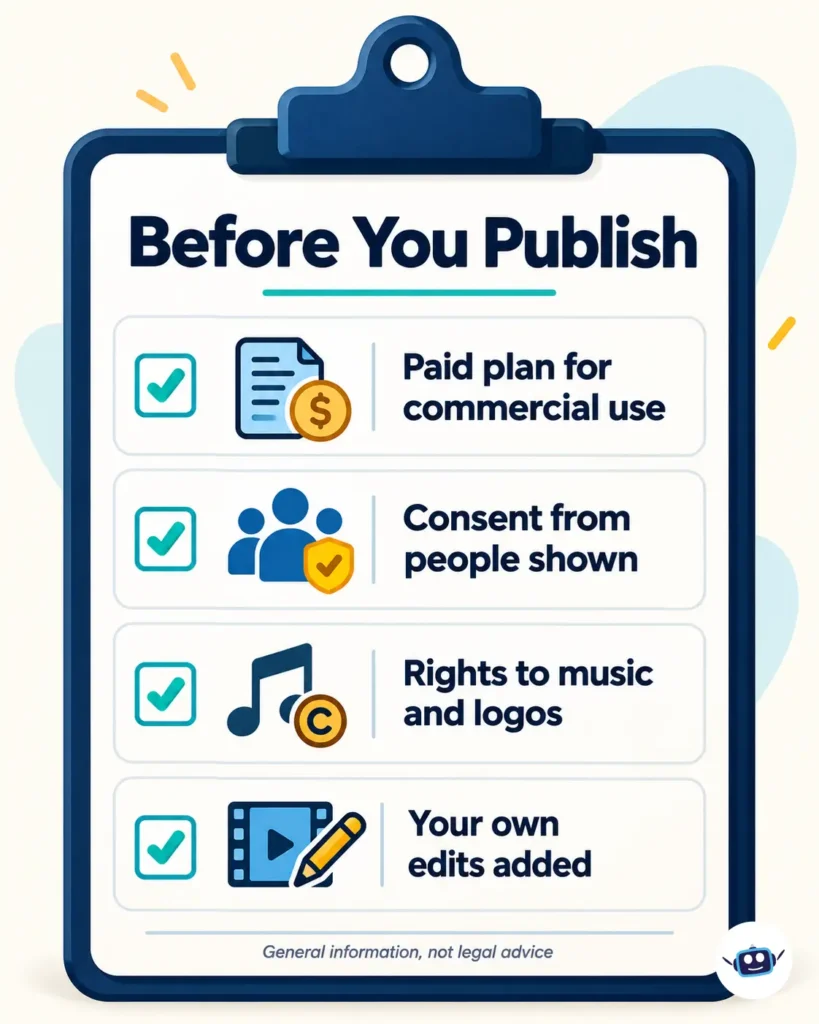
The official FAQ says commercial rights are currently available only to paid users, while free users may use creations for personal purposes. The Terms of Service govern the details, so read them before running ads or client work.
2. Can you copyright the result?
In the United States, probably not from prompting alone. The US Copyright Office’s January 2025 report on copyrightability concluded that, with currently available technology, prompts alone don’t give users enough human control to be considered authors of the output. The report does say human contributions can be protected, such as your own artwork appearing in the output or your creative selection and arrangement of AI material. In practice, a clip made only from a text prompt may carry thin or no copyright protection, so others could reuse it. Adding your own script, footage, voiceover, editing and music strengthens your position. Other countries take different approaches, so check local rules.
3. Do you have rights to your inputs?
A paid plan does not clear someone else’s photo, a brand logo, a song or a celebrity likeness. That responsibility stays with you.
Face Effects, Consent and Labelling Rules
Hug, kiss and face swap templates take photos of real people and generate realistic video of them. Reviewers have raised a real concern that tools in this category don’t verify that the people shown agreed. I found no reporting singling out MindVideo, and nothing on the pages I reviewed describes consent verification.
US law
The federal TAKE IT DOWN Act, signed May 19, 2025, criminalizes publishing nonconsensual intimate imagery, including AI-generated “digital forgeries.” It also requires covered platforms to remove such content within 48 hours of a valid request, with those platform duties applying from May 19, 2026. Many states have their own deepfake rules.
EU law
Article 50 of the EU AI Act has applied since August 2, 2026. People who publish a deepfake must disclose that it is AI-generated or manipulated, with a lighter duty for clearly artistic or creative work. The machine-readable marking duty for generative systems already on the market has a grace period until December 2, 2026, and that duty falls on providers, not ordinary users.
Our rule of thumb
Use these effects only with your own photos or with people who clearly agreed. Never create intimate or humiliating content about a real person, and label realistic AI footage where rules require it. Our face-swapped video safety checklist and our piece on the AI likeness waiver debate cover the wider issues. This is general information, not legal advice.
Privacy, Visibility and Company Transparency
The official FAQ says you can delete anything you upload or generate and that data is encrypted. It doesn’t say how or where, so read the Privacy Policy before uploading sensitive material.
A recent hands-on review reported that free-tier creations may be public by default, with private visibility reserved for paid plans. I couldn’t confirm that myself, so check the setting in your own account before uploading faces, client logos or unreleased products.
On transparency, the footer I saw lists Privacy Policy, Terms, Pricing, Contact and Blog, but no About page. That’s common among fast-moving AI tools. It means you should vet it yourself, and our guide on what to check before signing up for an AI tool gives a useful checklist. I also saw no official mobile app linked, so avoid third-party “MindVideo APK” files, which are a malware risk.
Personal Experience: What I Checked and What I Learned
To be clear about what this section is: I reviewed MindVideo’s official homepage and FAQ on October 28, 2026, and compared them with independent reviews, OpenAI’s Help Center and the legal sources above. I did not run paid generations, so I won’t judge output quality. These are the lessons the research taught me.
The marketing page and reality can drift apart. A Sora 2 page still listed months after OpenAI shut the app down was the clearest example. I now check the actual model dropdown before judging any hub.
Free credits teach, they don’t produce. Sign-up credits and check-ins are enough to learn the layout and compare two engines. I wouldn’t plan a posting schedule around them.
The expensive mistake is the wrong model, not the wrong prompt. Drafting on a premium engine burns credits on rough ideas. Sketching on a cheaper model first, then finishing on a premium one, is the habit that saves the most.
Keep your own copies. Presets and saved characters live inside the platform. I’d store winning prompts and reference images in my own notes so switching tools takes an afternoon, not a week.
I haven’t run paid generations on MindVideo AI myself, so I can’t judge its output quality or render speed. Everything above comes from reviewing the official site and FAQ, OpenAI’s Help Center, and independent reviews. I plan to update this article with my own credit usage and success-rate results once I’ve tested it.
Benefits of MindVideo AI
- One balance for video, image, music and voice instead of several subscriptions.
- Easy engine comparison on the same idea without new sign-ups.
- Beginner-friendly tools, including text-command editing and ready-made templates.
- Prompt translation, reported by reviewers, which helps non-English creators.
- A free way to start through sign-up and daily credits.
How to Get a Usable First Video
- Start free. Compare two engines on the same prompt before paying.
- Draft cheap, finish premium. Test ideas on the lowest-cost model first.
- Write a specific prompt. Include subject, action, setting, lighting and camera move. Our context engineering guide explains why clear context improves AI results.
- Pick the format first. Use 9:16 for vertical feeds and 16:9 for YouTube or websites.
- Use clean source images. Faces, hands and small logos drift most on messy photos.
- Review frame by frame. Check hands, text, logos and background flicker.
- Save your winning prompts outside the platform.
Common Mistakes
- Judging value by credits instead of cost per usable clip.
- Buying a yearly plan before testing failure rates on your content.
- Assuming a model named on a landing page is in your dropdown.
- Uploading client logos or other people’s faces to a free account without checking visibility.
- Treating a paid plan as clearance for third-party likenesses or trademarks.
- Downloading unofficial apps or APK files.
Subscriptions and Cancellation
Subscriptions renew automatically, so set a reminder on day one. In the US, the FTC’s Click-to-Cancel rule was vacated by the Eighth Circuit on July 8, 2025. The agency later removed the 2024 amendments from the federal rulebook and began a new rulemaking, and I found no new final rule as of late October 2026. The older ROSCA law still applies to online subscriptions. In practice, your protection depends on the seller’s disclosed terms and on you noticing renewal dates. Screenshot the plan terms at checkout, and read the refund section first.
MindVideo AI vs Going Direct
| Need | Hub approach (MindVideo AI) | Direct approach |
|---|---|---|
| Compare several engines on one idea | One balance, one prompt box | Separate accounts and bills |
| Newest model version | May lag the maker | Usually first |
| Predictable capacity | Shared with other users | Often more dedicated |
| Admin simplicity | One login and asset library | Several |
Choose the hub when breadth matters more than predictability, and go direct (for example to Google for Veo, Kling’s own service or Runway) when one model is central to your work or deadlines are fixed. For more tool comparisons, browse our AI Tools & Reviews section.
FAQs
What is MindVideo AI?
MindVideo AI is a web platform for generating AI videos, images and music, with editing tools and effect templates. It gives access to several third-party video models through one credit-based account.
Is MindVideo AI free?
Partly. New users get limited credits and can earn small amounts through daily check-ins and referrals. Free creations are for personal use only, and serious or commercial use needs a paid plan.
Is MindVideo AI the same as MinD-Video?
No. MinD-Video is an academic project that reconstructs video from fMRI brain data. MindVideo AI is a commercial text-and-image-to-video platform.
Which AI models does MindVideo AI use?
Its homepage lists Veo 3.1, Kling 2.6, Kling 2.1 Master, Wan 2.6, PixVerse V5, Seedance 1.0 Pro and others, plus image models such as GPT Image 2.5. Availability changes, so check the dropdown in your account.
Can I still use Sora 2 on MindVideo AI?
Don’t count on it. OpenAI discontinued the Sora app on April 26, 2026 and the API on September 24, 2026. Use it only if it actually appears and renders in your account.
Can I use MindVideo AI videos commercially?
According to the official FAQ, commercial rights are for paid users only. You still need rights to anything you upload, such as faces, logos or music, and you should read the current Terms of Service.
Can I copyright a video made with MindVideo AI?
In the US, the Copyright Office’s 2025 report says prompts alone aren’t enough for authorship. Your own added material, edits and creative arrangement can be protected.
How much does MindVideo AI cost?
One recent review of the upgrade screen shows Lite, Pro and Max at $16.90, $29.90 and $69.90 monthly, or $9.90, $15.90 and $39.90 per month on yearly billing. Figures vary between sources, so confirm at checkout.
Is there an official MindVideo AI app?
I saw no official iOS or Android app linked from the homepage. Use the browser version and avoid third-party APK files.
Conclusion
MindVideo AI is a practical way to compare several AI video and image engines on one bill. Its real value depends on your success rate, not its credit count. The risks are structural: the engines belong to other companies, versions can lag, capacity is shared, and rules around rights, consent and labelling are tightening.
Actionable takeaways:
- Run a few free generations and note what fails.
- Confirm the model and version in the dropdown before spending credits.
- Judge value by cost per usable clip, and start with a monthly plan.
- Read the terms on commercial use, refunds and visibility.
- Add your own script, footage, voice or edits so the final piece is genuinely yours.
- Get consent for any real person’s face, and label realistic AI footage where required.
Disclaimer: This article is general information about a software product and is not legal or financial advice. Prices, credit allowances, model availability, features and terms change often, so confirm current details with MindVideo AI before you buy or publish. Laws on copyright, deepfakes and subscriptions vary by country and state, so consult a qualified lawyer if you rely on AI output commercially. Cost-per-clip examples are illustrative, not measured. We are not affiliated with MindVideo AI. Information current as of October 28, 2026.