
Canva launched Canva Craft on October 22, 2026, introducing an image-generation model built by Canva Research. It is available through Dream Lab and Canva’s image-generation API, with an emphasis on visuals that fit real design work.
For creators, the appeal is moving from a written brief toward an image that can be refined inside Canva. For developers, there is an important qualification: the image-generation API remains in preview, with restrictions that matter before building a public product around it.
What is Canva Craft, and what is actually new?
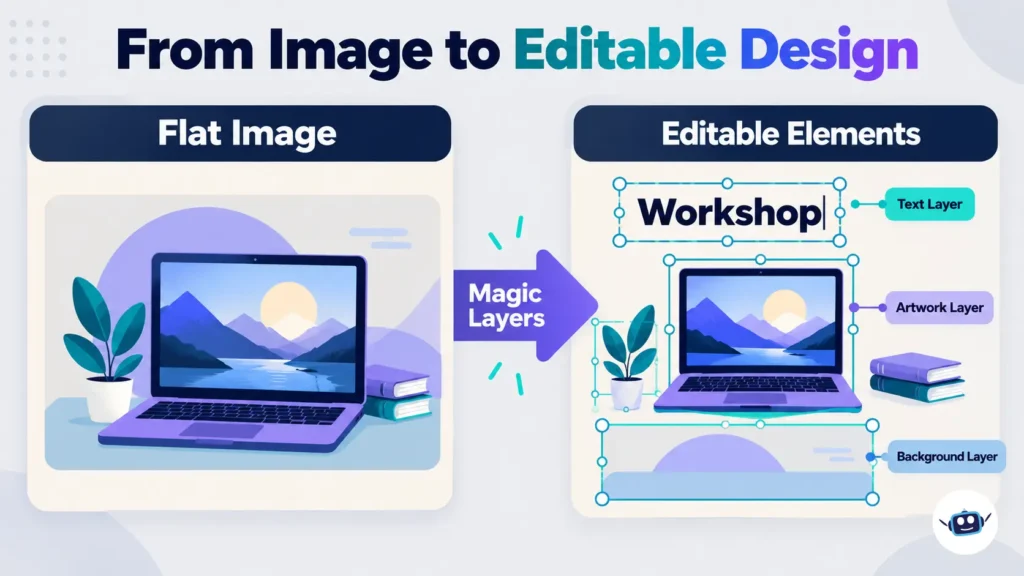
Craft is an image model. Dream Lab is the interface where people can use it. Magic Layers is a separate capability for turning a flat image into editable design elements.
That distinction helps explain the launch. Canva already offered AI image generation: its 2024 Dream Lab announcement described a tool powered by Leonardo.Ai’s Phoenix model. Craft therefore does not mark the first time Canva users could generate pictures from prompts.
Instead, Canva describes Craft as its first foundation model built and trained from scratch by Canva Research.
| Name | Role in the workflow |
|---|---|
| Canva Craft | Generates the image |
| Dream Lab | Provides a user-facing place to create images |
| Magic Layers | Rebuilds a flat image as editable components |
| Canva image-generation API | Lets software request generated images |
Separating the model from the application also makes comparisons clearer. Our guide to Chroma AI’s image tools, models and database explains a similar distinction between a creative product and the technology underneath it.
How Craft plans an image before rendering it
According to Canva, Craft uses two stages. A planning model interprets the brief and establishes composition, including positions, scale, visual hierarchy and text. A rendering model then produces the image.
Its training includes millions of human-created templates from Canva’s content library. Canva also describes designer feedback during fine-tuning and reinforcement learning.
The practical implication is that a prompt should describe relationships, not just objects. “A laptop, a headline and a blue background” leaves substantial ambiguity. A more useful brief explains which element should dominate, where the headline belongs and which area should remain empty.
This is an inference from the architecture, not a guarantee that every instruction will be followed.
Canva’s wider research strategy emphasizes specialized models, editing control, latency and inference costs. For readers following how frontier AI systems are evolving, Craft illustrates why application-specific models deserve attention alongside general-purpose assistants.
What is available now?
Canva says Craft is available to users globally through Dream Lab. Its developer announcement describes output up to 2K resolution and text generation in 55 languages.
The launch also advertises more than 30 aspect ratios, although the API exposes a narrower documented selection.
| Capability or access route | Status at launch |
|---|---|
| Craft in Dream Lab | Available |
| Craft through the image-generation API | Available in preview |
| Craft through Canva MCP | Coming soon |
| Craft-fast and Craft-ultrafast | Announced as upcoming variants |
The MCP distinction is specific to Craft. Existing Canva connections to AI assistants should not be treated as proof that those assistants can already invoke this new image model.
Pricing and usage: access does not mean unlimited generation
The official material reviewed does not establish a standalone dollar price per Craft image. Publishing a per-image cost would therefore be premature.
Canva’s help documentation describes a shared monthly AI allowance, with usage depending on the plan, tool and complexity of the task. Magic Layers and image creation appear among the tools that draw from that allowance.
This matters when budgeting a complete workflow. Generating an image and then processing it with another AI feature can involve more than one allowance-consuming action.
To view the balance on desktop, Canva’s documented route is profile icon → Settings → Billing → AI usage. Generic monthly usage estimates should not be presented as a guaranteed number of Craft images.
The API details developers should know
The API documentation provides more useful integration guidance than the launch headline alone.
Preview status limits public deployment
Canva’s REST API guidance says preview features are intended for development and experimentation and are not recommended for production. It also states that public apps using preview APIs cannot pass review for availability to all Canva users.
That makes Craft accessible for evaluation without making every proposed integration ready for public release.
Select the model deliberately
The documented Craft model identifier is craft_v1_2k. Developers can supply it in the image-generation request.
If the model parameter is omitted, Canva selects an available model. Consequently, an unpinned request is not reliable evidence that an output came from Craft.
For a meaningful comparison, keep the model selection explicit and record it alongside the prompt. Otherwise, a change in routing could be mistaken for a change in Craft’s quality.
API aspect ratios differ from the broader announcement
At the time of review, the create-job reference lists these six options:
- Square, 1:1.
- Landscape, 16:9.
- Portrait, 9:16.
- Landscape, 3:2.
- Portrait, 2:3.
- Portrait, 4:5.
The reference also says the result reports the actual pixel width and height. Developers should build against that documented interface rather than assuming that every ratio mentioned in the model announcement is accepted by the endpoint.
Plan for credits, asynchronous jobs and temporary URLs
Starting an image-generation job consumes the user’s AI allowance. The API requires a user access token with the asset:write permission.
Generation runs asynchronously: the application checks the job until it succeeds or fails. Successful results include a download URL that expires after 24 hours; an optional upload setting can also save the image as an asset in the user’s Canva account.
A useful implementation therefore needs progress feedback, failure handling and a deliberate storage step. A temporary download URL should not become the permanent image address in a published article.
Keep publishing approval separate from image generation. The distinction between producing a draft and authorizing an action also appears in our guide to AI agents versus chatbots.
How to use Craft for a practical design brief
Start with one clearly defined asset, such as an article illustration or workshop announcement.
- Open Dream Lab in Canva. Use the entry identified in Canva’s Craft announcement.
- Define the destination. Specify whether the asset is a wide article header, square social graphic or portrait poster.
- Describe the hierarchy. Name the main subject, the headline position and any space needed for other content.
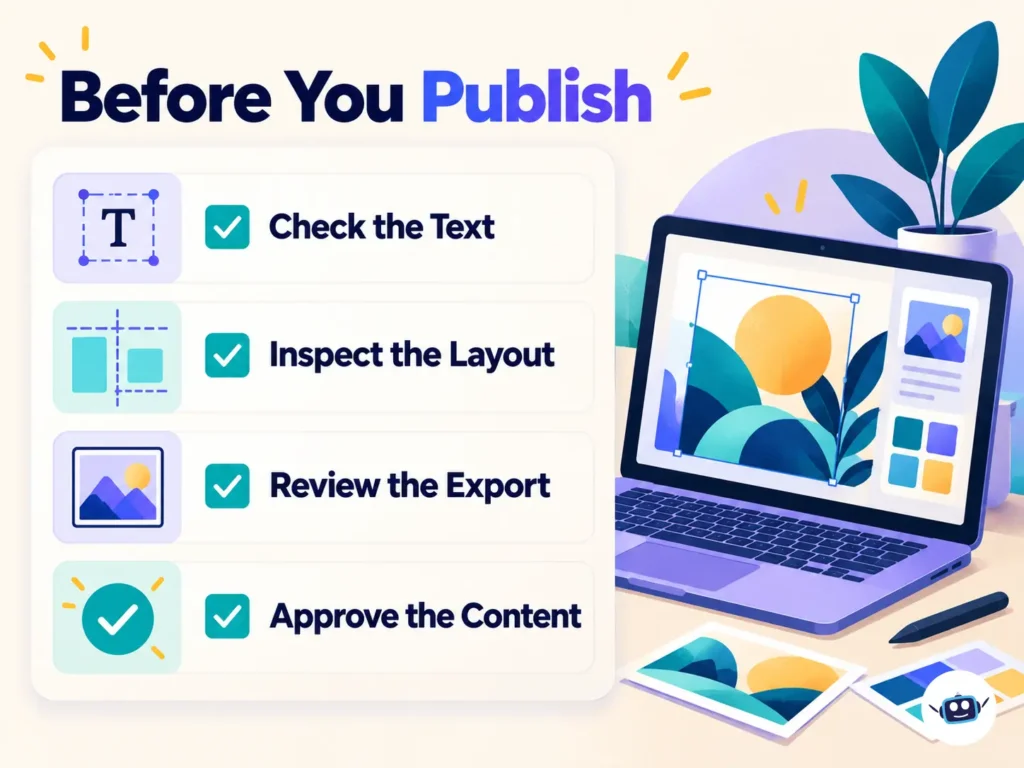
- Keep essential wording short. Supply the exact headline, then proofread the generated result.
- Refine the chosen image. Where available, use Magic Layers to make individual elements editable.
- Inspect the final export. Check spelling, alignment, cropping and readability at the size readers will actually see.
Here is an illustrative prompt, not a tested result:
Create a wide editorial graphic for an AI design workshop. Use a cream background, navy lettering and teal accents. Place a simple laptop illustration on the right and a large headline on the left. Exact headline: “AI Design Workshop”. Leave generous outer margins. Include no logos, extra wording or invented interface screenshots.
Canva’s Magic Layers guide describes selecting the tool, choosing media and letting it process the image into a new design. Text can then be edited, elements repositioned and the layout refined. The same guide notes that more complex compositions may need additional adjustment.
Practical Insights
Judge the finished asset, not only the first image
A visually impressive generation may still need extensive correction. For a useful evaluation, record the time spent generating, selecting, editing and approving the final result.
For example, compare two approaches to an event announcement: generating the entire composition, and generating only the illustration before adding native text. The better choice is the one that produces accurate, reusable work with less total effort.
This is a suggested evaluation method; no performance results are claimed here.
Keep changing information editable
Prices, dates, product names and calls to action deserve special attention. For a recurring campaign, adding those details as native text can make later updates easier to control.
Avoid repeatedly regenerating an otherwise acceptable composition just to change a date. Preserve the successful visual and make the smallest practical edit.
For an AI news site, generated illustrations should also be clearly distinguished from screenshots, benchmark evidence and photographs of real events. An attractive mock interface is not proof that a feature exists.
Separate visual quality from factual accuracy
A generated infographic can look credible while containing unsupported numbers or misleading relationships. Establish the facts and chart structure before creating the artwork.
For precise data graphics, use real charting tools and editable labels. Use generated imagery for supporting illustration rather than asking it to invent the evidence.
Treat safety controls as one part of review
Canva Shield describes content moderation, input and output reviews, reporting options and privacy controls. Canva also says users control whether their private content is used for training.
These controls do not replace checking an asset’s wording, brand suitability or depiction of people. Training on Canva’s template library should not be interpreted as proof that every private customer design was included.
Before using confidential material, review the relevant account settings and organizational permissions. Before publishing, confirm that the image does not imply a real endorsement, event or product capability that has not been established.
FAQs
Is Canva Craft the same as Dream Lab?
No. Craft is an image-generation model, while Dream Lab is the Canva interface through which users can access image generation. Dream Lab existed before this model launch.
Is Canva Craft free?
Canva announced access for all users, but that does not establish unlimited free generation. Canva’s AI allowance system varies by plan and task, and a universal Craft-specific image quota was not established in the official material reviewed.
Can I edit the text in a Craft image?
Magic Layers is designed to convert flat imagery into editable components, including text boxes. This is an additional processing step, and Canva’s guide says complex designs can require further adjustment.
Can developers make sure the API uses Craft?
Yes. The documented model value is craft_v1_2k, which can be specified in the request. Leaving the model unspecified allows Canva to choose, so it should not be used for a comparison that claims to measure Craft alone.
Can I use Craft through an AI assistant today?
The Craft launch describes its Canva MCP connection as coming soon. Availability of another Canva tool inside an assistant does not establish availability of Craft itself.
Is Craft better than other AI image generators?
This article does not establish an independently tested winner. Compare models using the same briefs and assess text accuracy, composition, correction effort and the usability of the final asset.
Does Magic Layers work only with Craft?
No. Canva describes Magic Layers as a way to transform flat images, including images created outside Canva, into editable designs. Its value therefore extends beyond this particular model.
Conclusion
Canva Craft is worth evaluating for workflows where generating an image is only the beginning. Its usefulness will depend on how efficiently a draft becomes an accurate, editable and publishable asset.
Creators should begin with a focused brief, keep important copy easy to revise and review the exported result. Developers should confirm preview restrictions, select the model deliberately and account for credits, job handling and storage before committing to an integration.
Disclaimer
This article provides general information about Canva Craft and related design tools, with information current as of October 2026. Features, AI allowances, API restrictions and availability can change, so confirm current details with Canva before purchasing a plan or building an integration. Review generated content for accuracy and suitability before publication.