
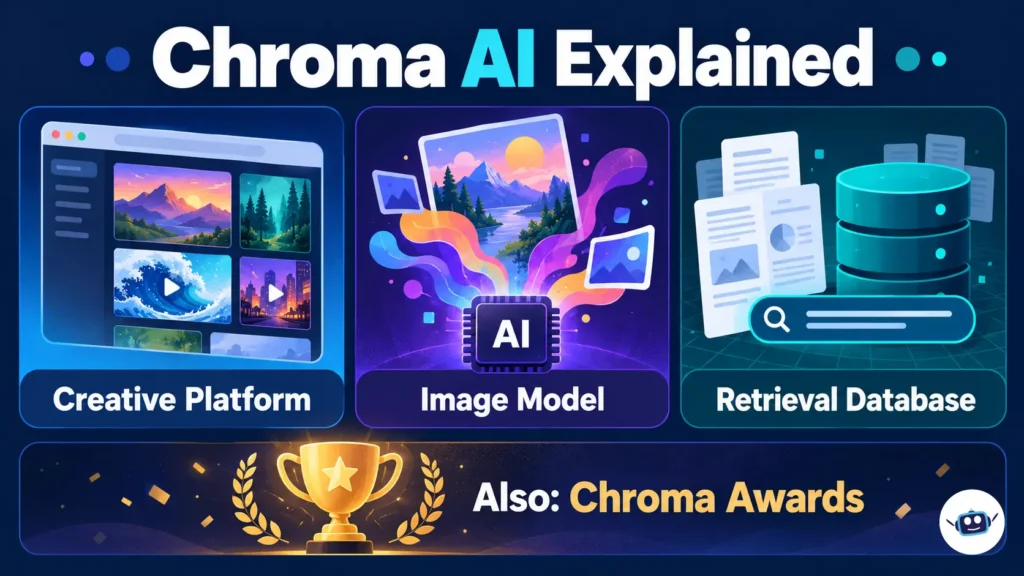
Chroma AI can refer to several different offerings: Chroma Studio for creating images and videos, the Chroma image-generation model by lodestones, or Chroma’s database and search infrastructure for AI applications. Chroma Awards is a separate creative competition. These names should not be treated as one product, subscription or technical system.
For people building LLM applications, the relevant Chroma is usually the retrieval database, often called ChromaDB. For creators seeking artwork or video tools, the relevant options are Chroma Studio or a service hosting the Chroma image model. Here is how to tell them apart and evaluate the right one.
What Is Chroma AI? Identify the Product First
| Name | What it is | Main audience | What to evaluate |
|---|---|---|---|
| Chroma Studio | Browser-based AI image and video creation platform | Creators and marketers | Editing tools, export options, credits and subscription terms |
| Chroma by lodestones | An open-weight text-to-image model family | Artists, developers and model builders | Exact checkpoint, software support and computing requirements |
| Chroma / ChromaDB | Open-source retrieval and search infrastructure | Developers building AI applications | Search quality, deployment, data handling and usage costs |
| Chroma Awards | An AI film, music-video and game competition | Creative entrants | The particular edition, rules and entry status |
A feature advertised for one entry does not establish that another supports it. Likewise, a Chroma Cloud account does not purchase image-generation credits on CharGen.
The organizer’s Devpost listing for the 2025 Chroma Awards explicitly says that event has ended. It is an event page, not an image generator or a database signup page.
Chroma Studio: An AI Creative Platform
Chroma Studio advertises image generation, image editing, effects and video creation in a browser. Its published tools include text-to-image generation, inpainting, image expansion, upscaling and image-to-video generation.
For a publisher, that makes it a potential place to develop article illustrations, campaign concepts or short promotional clips. A sensible evaluation starts with one real brief: create a suitable visual, make a requested edit and inspect the exported file.
Check the available resolution, download format, credit charge and applicable usage terms before committing to a larger project. A “start free” invitation does not establish unlimited free exports or unrestricted access to every model.
The Chroma Image Model: Different From the Platform
Lodestones publishes Chroma model checkpoints on Hugging Face. The Chroma1-HD model card identifies it as a text-to-image model based on FLUX.1-schnell and lists an Apache 2.0 license.
Hugging Face’s Diffusers documentation provides a Chroma pipeline for running the model. The model card also describes a ComfyUI workflow. These are routes for working with model weights and inference software; they are different from subscribing to a browser-based creative service.
CharGen offers hosted access to Chroma and positions it for illustration, fantasy artwork and creative concepts. Its model page lists a charge of four gold per 1024 × 1024 image, explicitly labeled September 2026. Treat that as a dated platform quote, not a universal price for Chroma.
A platform limitation is not necessarily a model limitation
CharGen says negative prompts, image-to-image and ControlNet are unavailable in its Chroma implementation. However, the official Diffusers Chroma example includes a negative prompt.
The accurate conclusion is that negative-prompt availability depends on the implementation. Saying “Chroma cannot use negative prompts” would incorrectly turn one host’s limitation into a claim about the model.
Keep the exact checkpoint and application in your comparison notes. “Chroma on CharGen” and “Chroma1-HD through Diffusers” describe different working environments.
Running an open-weight model also creates computing costs. Before choosing rented hardware, consider the broader expenses covered in our guide to renting GPU compute, including storage and idle resources.
ChromaDB: The Chroma That Matters for LLM Applications
Chroma’s official documentation describes open-source infrastructure that stores documents, embeddings and metadata and retrieves relevant information. An embedding is a numerical representation that supports searches based on similarity.
In a document assistant, Chroma can help find passages related to a question even when the wording differs. The application can then provide those passages to a language model.
That makes Chroma useful for retrieval-augmented generation, or RAG. The retrieval database finds candidate evidence; a generative model produces the response.
Chroma’s documentation describes local, self-hosted and managed Cloud deployment options. Its open-source repository uses the Apache 2.0 license.
How Chroma fits into a RAG workflow
Consider an illustrative support assistant answering questions about a software company’s product documentation:
- Prepare the documents. Divide the material into useful passages while preserving headings and source information.
- Create embeddings. Use an embedding model to represent those passages numerically.
- Store the records. Add embeddings, text and metadata to a Chroma collection.
- Retrieve relevant passages. Search the collection when a user asks a question.
- Generate a grounded answer. Pass suitable results to the LLM and ask it to answer from the supplied evidence.
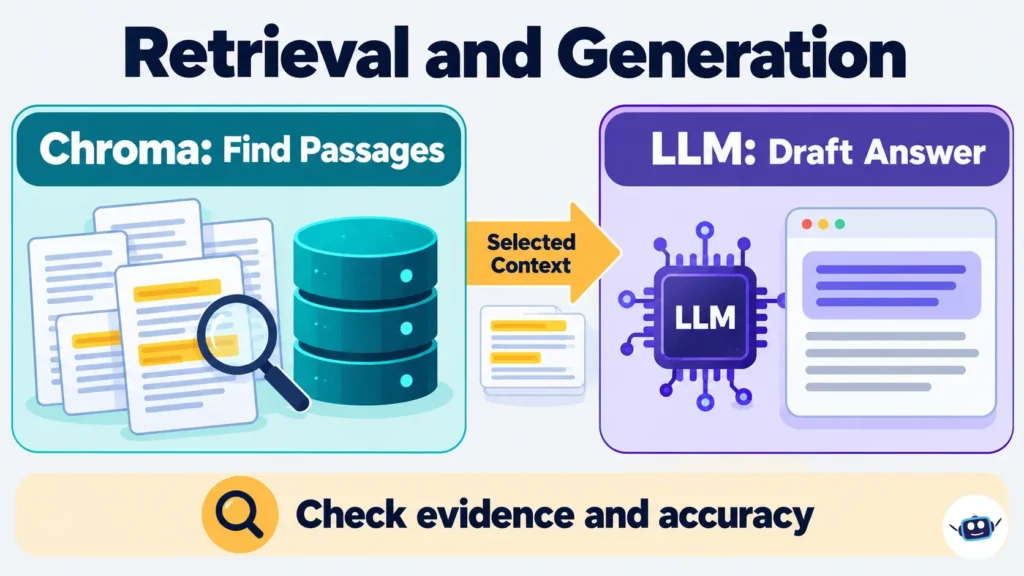
Anthropic’s explanation of RAG describes this same separation between document preparation, retrieval and answer generation.
For example, a question about “moving a project to another account” might need a document titled “Transfer workspace ownership.” Semantic retrieval can help bridge that vocabulary gap, but the application must still verify that the retrieved instructions apply to the correct product version.
This is part of the broader discipline explained in our context engineering guide: deciding which information enters the model’s context and when.
Search features depend on deployment
Chroma supports more than a basic similarity lookup. Its documentation covers metadata filtering and, through its Cloud Search API, hybrid search and custom ranking.
Hybrid retrieval combines approaches such as semantic search and lexical matching. Anthropic notes that lexical matching can be particularly useful for technical terms and unique identifiers that semantic retrieval may miss.
One deployment distinction matters: Chroma’s current documentation says the newer Search API is available only in Chroma Cloud, with local support planned. Do not assume every example using search() will work unchanged in a local installation.
Chroma AI Pricing: Separate the Different Bills
There is no single price covering everything called Chroma AI. Hosted image generation, creative-platform subscriptions and database operations have different charging models.
For Chroma Cloud, the official pricing page lists a Starter plan with a $0 monthly base charge, plus usage, and $5 in free credits. Its pricing documentation confirms the following database rates.
| Chroma Cloud usage | Published rate |
|---|---|
| Data written | $2.50 per GiB |
| Data stored | $0.33 per GiB per month |
| Data queried | $0.0075 per TiB |
| Data returned | $0.09 per GiB |
GiB and TiB are binary data units. These prices are not charges per image or per LLM token.
An illustrative calculation: writing one logical GiB once and storing that amount for a full month gives a $2.83 write-and-storage subtotal, before credits. That excludes queries, returned data, ingestion services, embedding generation, LLM calls and any applicable plan charges.
Chroma also documents separate Sync ingestion charges. Therefore, the database subtotal should not be presented as the complete cost of a document assistant.
For a creative platform, evaluate the subscription or credit offer shown for that exact service. An open model license does not mean a hosting provider must supply free inference.
How to Start a ChromaDB Project Sensibly
Begin with a small collection of non-sensitive documents and a clearly defined task, such as answering questions about a public user guide.
1. Choose storage that matches the project
Chroma’s quickstart uses an in-memory client. Its documentation warns that data added in this mode disappears when the program ends.
That is useful for experimentation. For reusable data, choose a persistent client, an appropriate server deployment or Cloud storage.
2. Decide where embeddings are generated
Chroma supports local embedding functions and external APIs. Its documented default embedding function runs locally, while other integrations can send text to an embedding provider.
Map this choice before adding confidential material. The database’s location alone does not describe the complete data path.
3. Preserve useful source information
Store metadata such as document title, version, department and source location. Chroma supports filtering records by metadata conditions.
For example, a support assistant should distinguish current instructions from archived instructions. Similar wording does not make both equally applicable.
4. Test retrieval before judging the answer
Create questions with known supporting passages. Inspect whether retrieval finds those passages before asking a language model to summarize them.
Include exact identifiers, paraphrased questions and questions that the documents cannot answer. These are suggested evaluation cases, not reported benchmark results.
5. Add generation and review controls
Ask the LLM to identify the evidence it used and acknowledge missing information. Then check the final answer against the retrieved text.
If you use an agent to implement the application, our comparison of AI coding agents and chatbots explains why repository access and execution permissions deserve separate attention.
Practical Insights
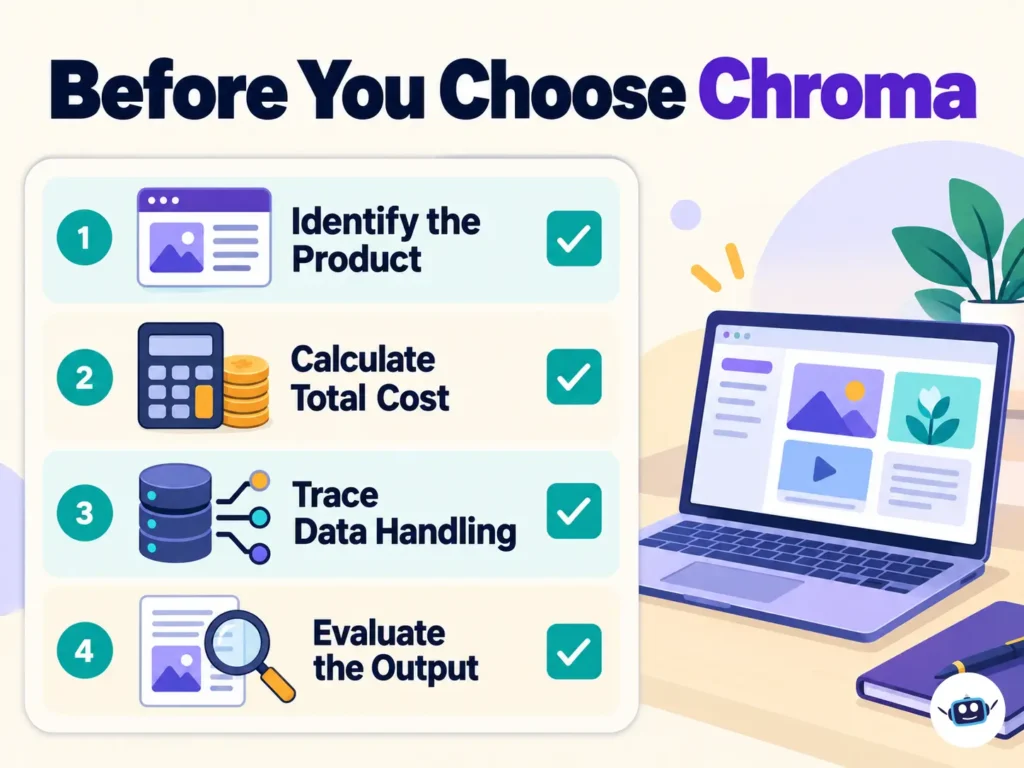
The following recommendations are engineering judgments based on the documented capabilities and limitations.
Measure the cost of a useful result
For image work, track the total cost of attempts that produce a publishable asset. For a document assistant, track the complete request: ingestion, retrieval, generation and review.
A low unit price can still produce an expensive workflow if most outputs need substantial correction.
Treat local storage and local processing separately
A local Chroma database can be paired with a remote embedding service or a remote LLM. Consequently, “stored locally” does not establish that every processing step stays on the device.
Document which components receive source text, queries and retrieved passages. Choose the architecture around the actual data requirements.
Evaluate retrieval and answer quality separately
A wrong answer can come from missing source material, poor retrieval or incorrect interpretation by the LLM. Changing the language model will not necessarily fix the first two problems.
Keep a record of the passages retrieved for each evaluation question. That makes failures easier to locate.
Use filtering deliberately
Metadata filters can narrow results to a selected version, category or other recorded attribute. Use them where those distinctions matter.
Do not treat the existence of a filter field as a complete access-control design. As an application design rule, the server should determine what each authenticated user may search and enforce those restrictions consistently.
Avoid the most common comparison mistakes
- Comparing Chroma Cloud prices with image-generation credits.
- Assuming a host exposes every feature supported by the underlying model.
- Building reusable work on an in-memory demonstration.
- Treating a relevant-looking passage as proof that an answer is correct.
- Assuming a local database makes external model calls private or local.
Frequently Asked Questions
What is Chroma AI used for?
The name can refer to creative AI tools, an image model or retrieval infrastructure. Chroma Studio focuses on visual creation, while ChromaDB helps applications store and retrieve information for tasks such as document search and RAG.
Is Chroma AI an LLM?
ChromaDB is a retrieval database, and lodestones’ Chroma is a text-to-image model. Neither should be described as a general-purpose conversational LLM simply because it has AI in its description.
Is Chroma AI free?
The Chroma database is open source, but running infrastructure can still cost money. Chroma Cloud has usage-based charges after applicable credits, and hosted image-generation services set their own prices.
Can Chroma work with ChatGPT or Claude?
A developer can build an application that retrieves material from Chroma and sends it to an LLM through the relevant provider’s API. Creating a Chroma account does not automatically connect it to a personal ChatGPT or Claude conversation.
Does Chroma support negative prompts?
Hugging Face’s Diffusers documentation demonstrates negative prompts for the Chroma image model. CharGen says they are unavailable in its hosted implementation, so the answer depends on the software or service being used.
Can ChromaDB run locally?
Yes, Chroma’s documentation supports local operation. Choose persistent storage when records need to survive a restart, and check whether embedding generation or subsequent LLM calls use external services.
Does Chroma prevent hallucinations?
Retrieval can supply evidence, but finding a related passage does not guarantee a correct answer. Evaluate both whether the system retrieves the right material and whether the language model represents that material accurately.
Are Chroma Studio and Chroma Awards the same thing?
Chroma Studio is a creative platform; Chroma Awards is a competition. The 2025 event page on Devpost is marked as ended, so it should not be mistaken for an active software offer.
Conclusion
Start by identifying which Chroma matches the task. Evaluate Chroma Studio for browser-based visual creation, the lodestones model for image-generation workflows, and ChromaDB for retrieval inside an AI application.
For LLM projects, the useful questions are practical: does search find the right passage, does the answer reflect it, where does the data travel, and what does the complete workflow cost? A small evaluation with known source material will answer those questions more reliably than a broad feature list.
Disclaimer
Information current as of October 2026. Prices, credits, features and deployment availability can change, so confirm the current details with the relevant official provider before purchasing or deploying. This guide explains documented capabilities and practical considerations; it does not report independent hands-on product testing.